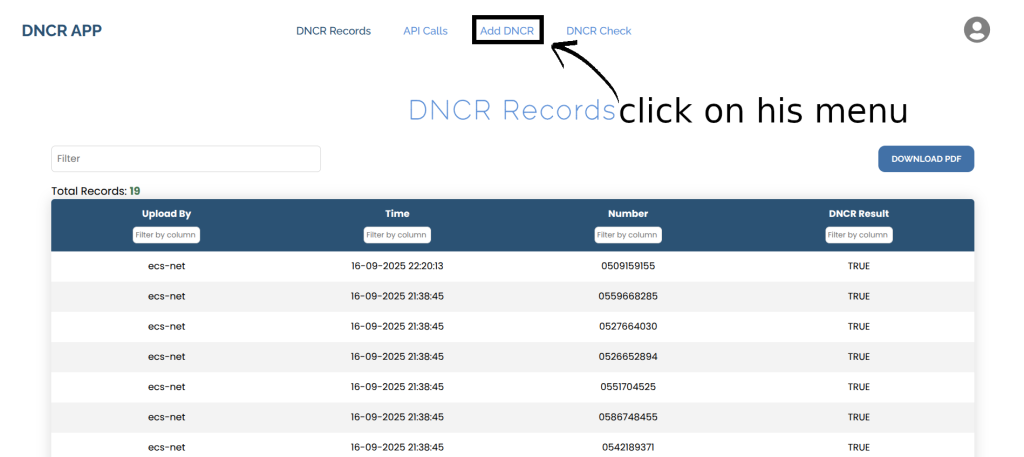
Step 1:After successfully logging in, you will be redirected to the page shown in the image. From there, navigate to the ‘Add DNCR‘ page.
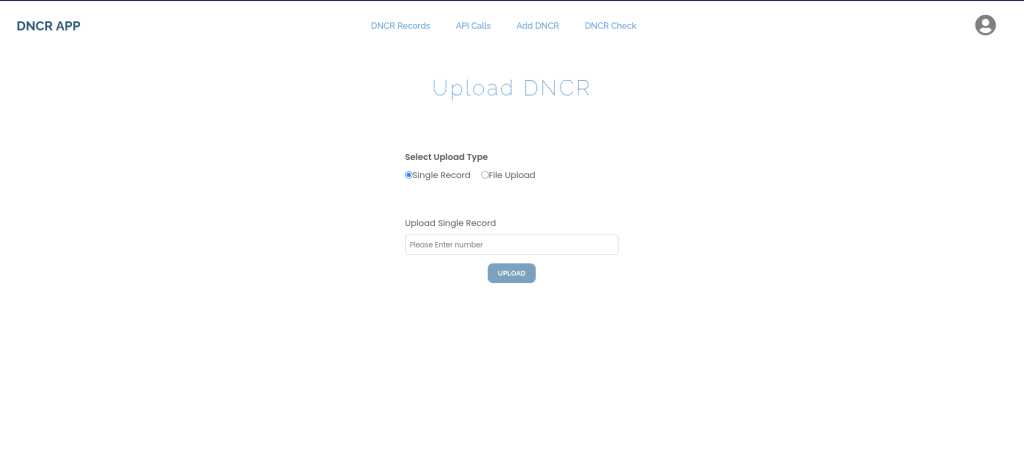
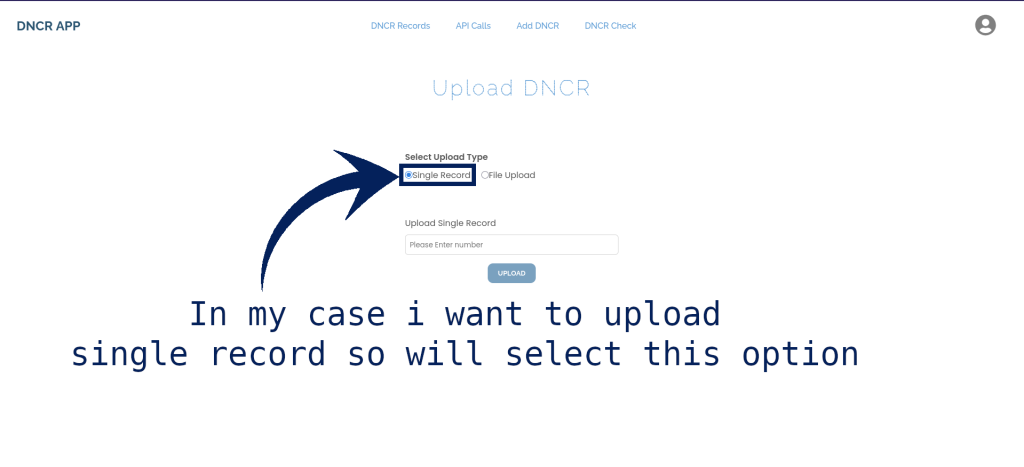
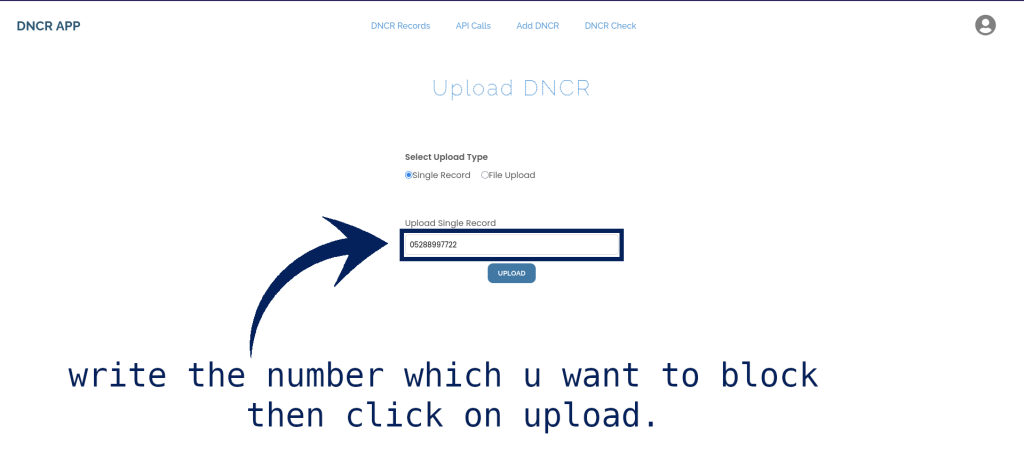
Step 2: Then When the page opens select Single Record as shown on 2 image,then write the number which u want to block as shown on image 3 then click on upload.
Step 3:That’s it now u can check on DNCR record Page your number is added on the DNCR Records list.